
Imports for a strategy
pulse re-exports the data-layer names (instruments, enums, datafeed and resolver factories) alongside the engine, so a strategy needs a single import block:
Core Classes:
Option- A single option contract, identified by underlying, type, strike and expiration date (FutureandSpotare its siblings)Strategy- Base class that provides the framework for implementing trading strategies through inheritance
InstrumentType- Specifies the type of financial instrument (CALL, PUT, FUTURE, SPOT)PeriodID- Identifies specific time periods (ALL, specific months, seasons, etc.)PeriodType- Categorizes the type of time period (MONTH, QUARTER, SEASON, etc.)
run_sequentially- Executes multiple strategies one after another in sequence
plot_equity- Generates interactive charts to visualize strategy performance and equity curves
Strategy Implementation
The following cell demonstrates how to implement a custom trading strategy using the Pulse framework. This is a low-level backtester that gives you complete flexibility to define almost any trading logic. Key Features of Strategy class:- Maximum Flexibility: You can implement almost any trading strategy, from simple buy-and-hold to complex multi-instrument strategies
- Custom Logic: Define your own entry/exit conditions, risk management rules, position sizing algorithms, and timing mechanisms
- Real Market Data: Access to historical price data, options chains, volatility surfaces, and other market information
- Built-in Infrastructure: Automatic handling of order execution, portfolio tracking, P&L calculation, and performance metrics
on_update() method. This method is called at each time step during the backtest, allowing you to:
- Analyze current market conditions
- Make trading decisions based on your criteria
- Execute buy and sell orders through the broker interface
- Manage existing positions and risk
ShortPut class below implements a simple monthly strategy that sells put options at a specified delta. It demonstrates:
- Parameter configuration in
__init__() - Monthly rebalancing logic in
on_update() - Expiration and strike resolution
- Position sizing based on equity percentage
- Order execution through the broker
Strategy Execution
To execute a strategy, we first need to initialize it with the required parameters and then pass it to therun_sequentially function.
Strategy Initialization:
The ShortPut strategy is initialized with the following parameters:
underlying_id="COM.BRN"- Brent crude oil commoditydelta=0.3- Target delta for the put options (30 delta puts)expiry_nearest=1- Use the nearest available expirationmin_dte=7- Minimum days to expiration before rollingequity_percentage=0.1- Use 10% of available equity for position sizing
run_sequentially function:
- Creates an executor for each passed strategy
- Runs strategies sequentially one after another
- Takes an
initial_equityparameter to set the starting capital - Returns results for each strategy executed
- P&L data - Detailed profit and loss information
- Performance metrics - Return statistics, drawdown, Sharpe ratio, etc.
- Trade history - Individual trades and their outcomes
- Portfolio evolution - How positions and equity changed over time
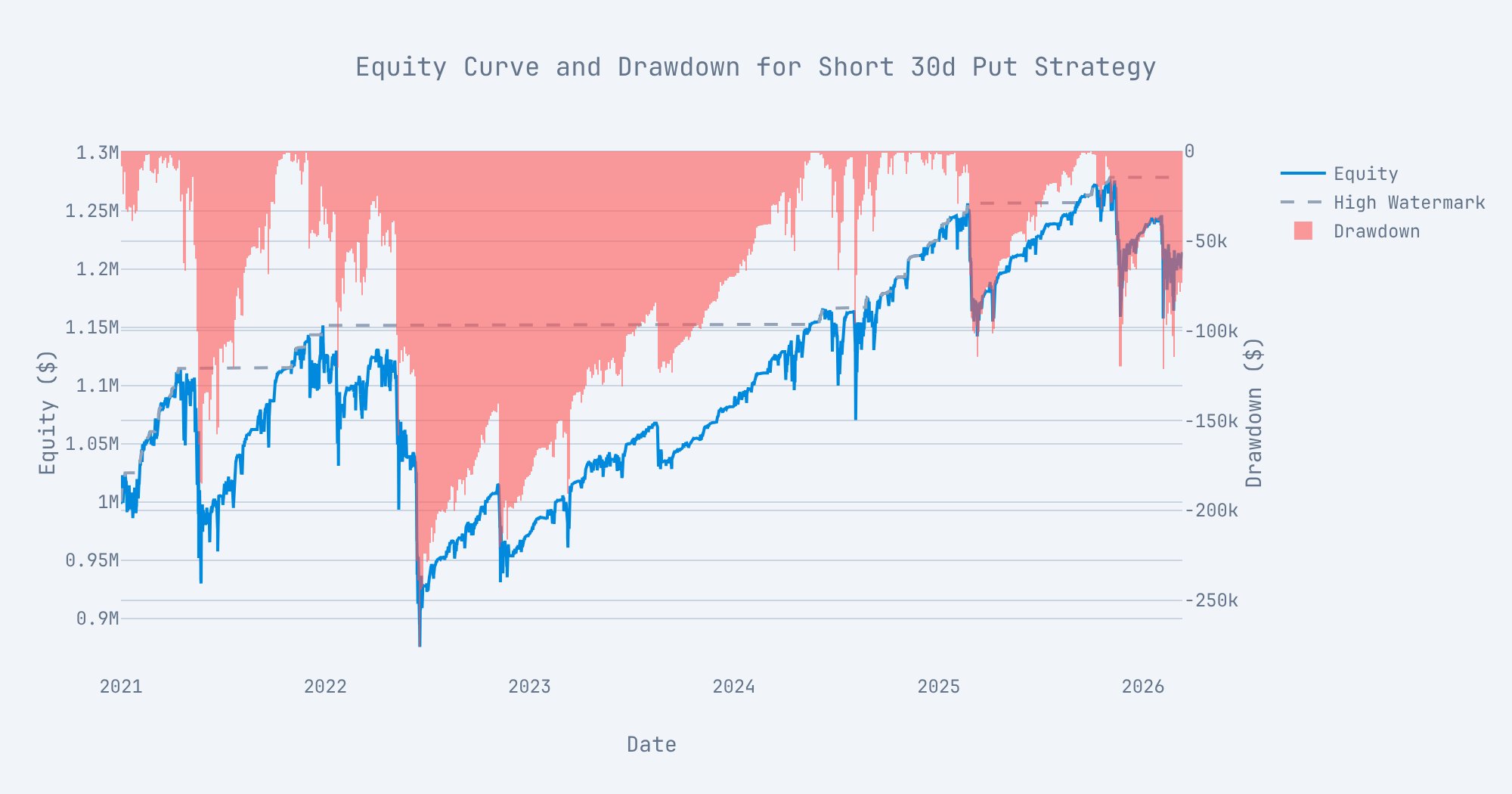
result object contains execution status and timing information, while the strategy itself holds all the trading results and metrics. Since the strategy instances are passed by reference, you can directly access their attributes after execution to analyze performance and visualize results.
Output
Strategy Metrics
TheShortPut after execution will have metrics and results populated as attributes.
Output
Plotting the single backtest result
Executing multiple strategies
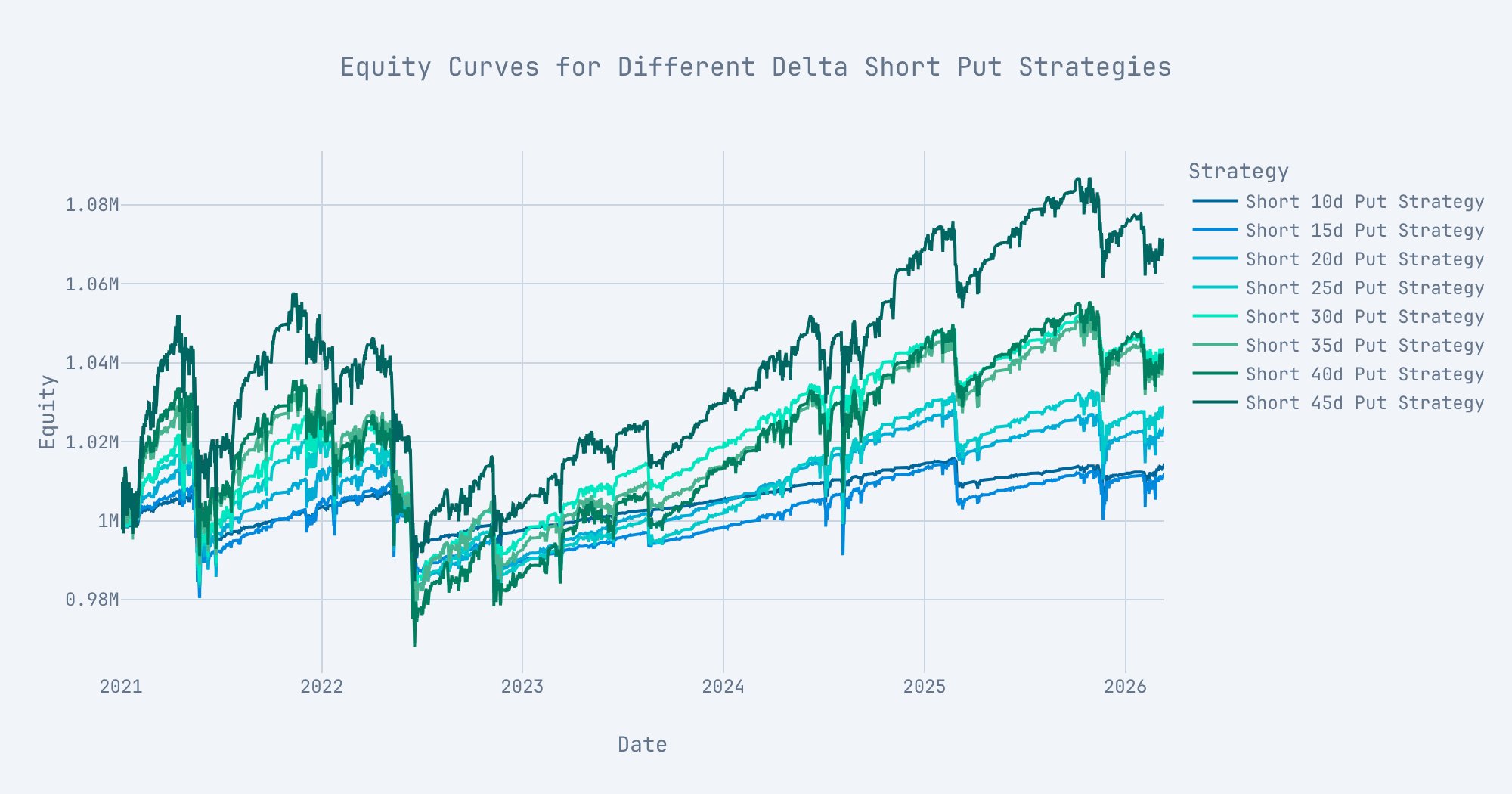
You can execute multiple strategies by initializing multiple strategy instances and passing them to therun_sequentially function.
Implementation Process:
- Define parameter variations - Create a list of different parameter sets to test
- Create strategy instances - Initialize multiple strategies using these parameters (strategies also do not need to be the same class)
- Execute strategies - Pass both strategies and parameters to
run_sequentially
- Strategy parameters are recommended - Pass the
strategy_parametersargument since Pulse cannot automatically extract parameters from strategy instances due to custom logic and serialization limitations - JSON serializable parameters - Ensure all parameter values are JSON serializable (strings, numbers, booleans, lists, dictionaries) to avoid serialization errors
- Performance tracking - Each strategy will have its own performance metrics and results after execution
Output
Output
Plotting multiple strategies using Plotly