

Where to Find It
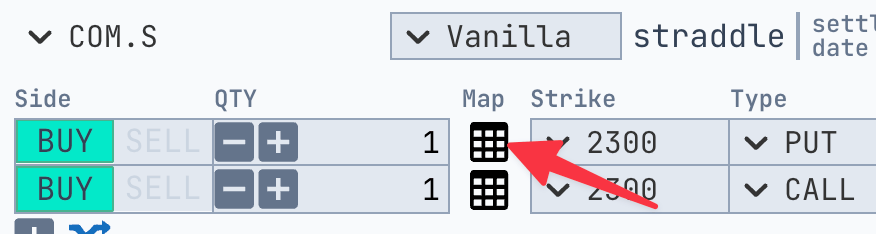
To open the Strike Map:- Go to your options structure tab.
- Click the Strike Map icon next to the strike field you want to modify.
How It Works
Once inside the Strike Map, you’ll see a grid of strike-related data organized by expiration dates and strike levels. The layout displays both Calls (C) and Puts (P) along with their corresponding values, including price, implied volatility, delta, and others.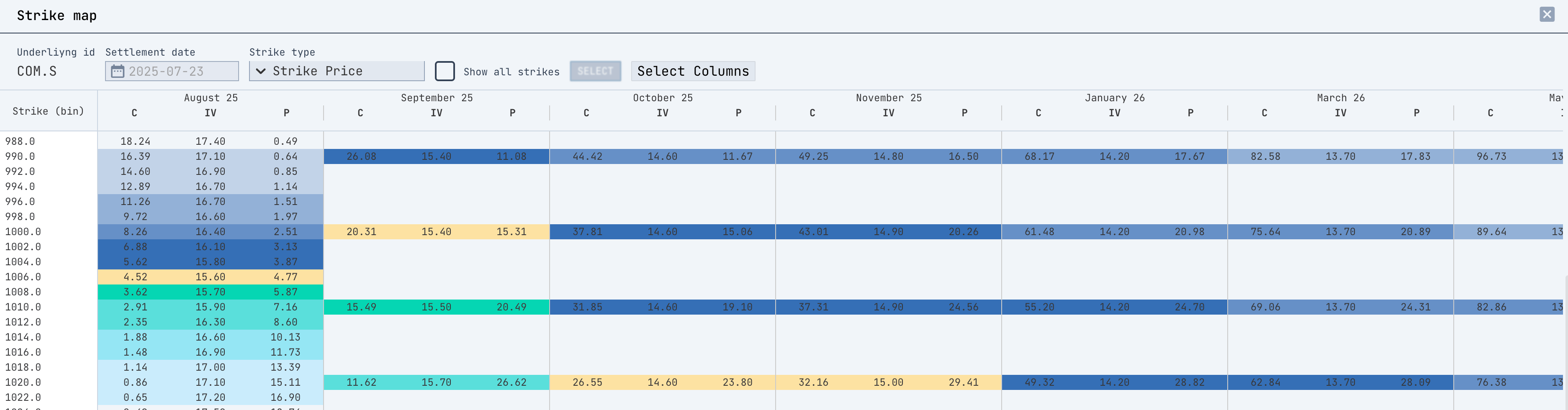
Key Features
1. Strike Type Selector
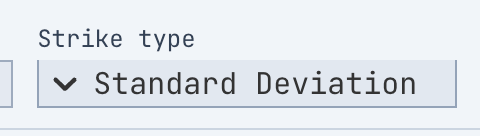
In the top panel, you can choose how the strike rows are organized using the Strike Type dropdown:- Strike Price – Raw strike levels.
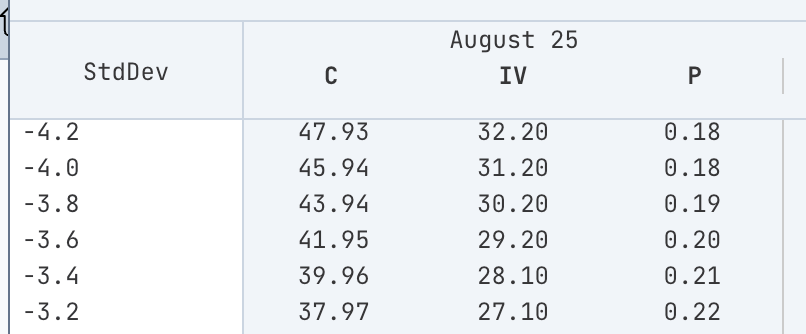
- Standard Deviation – Distance from ATM in standard deviations.
- Delta – Target strike by option delta.
- Moneyness – Strike as a % of the underlying.
- Quick Delta – Target strike by option quick delta.
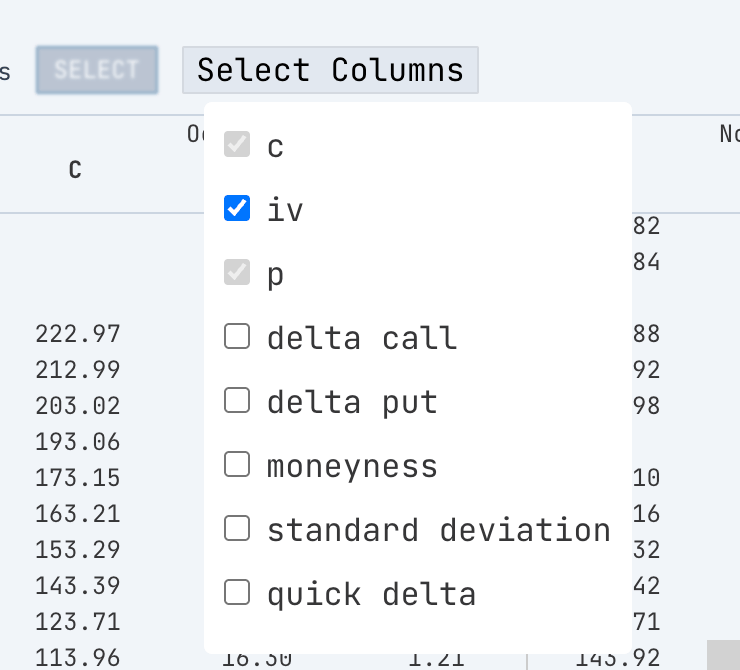
2. Column Selector
Click on Select Columns to choose what metrics to show:- Call price (
c), Put price (p) - Implied Volatility (
iv) - Delta (Call / Put)
- Moneyness
- Standard Deviation
- Quick Delta

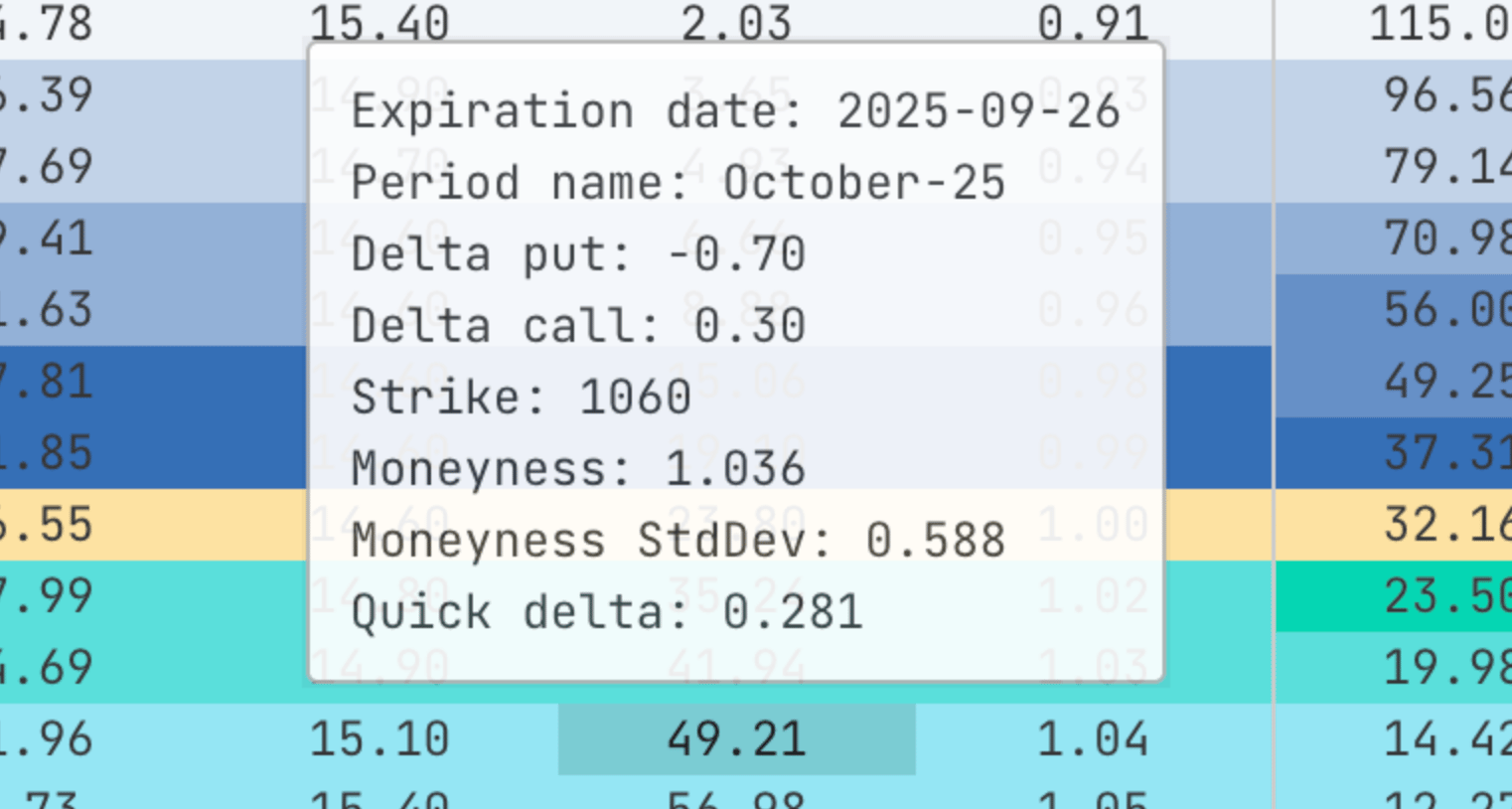
View Option Details on Hover
When exploring the strike map, hover your cursor over any option cell to instantly view a detailed tooltip. This pop-up includes all relevant information about the selected option:- Expiration date
- Period name
- Delta call / Delta put
- Strike price
- Moneyness & its standard deviation
- Quick delta
How to Select a Strike
- Click the cell that corresponds to the strike you want (e.g., a Put with specific delta and price).
- The cell will be highlighted.
- Click the Select button at the top.
- Your structure will be immediately updated with the new strike.

Tip
- You can check Show All Strikes to display even wider data if needed.
Using the Strike Map provides you with complete control over your structure setup, enabling you to make better-informed strategic decisions.
Allasso Trade’s charts and interpretation tips describe market data and past behaviour. They are not a
forecast, and nothing in them is investment advice.